Semrush Review (2026): A Comprehensive SEO Tool for WordPress Users
In this Semrush review, we explore why this platform is one of the most trusted tools among marketers, businesses, and website owners aiming to boost online visibility and drive organic traffic. Semrush offers an all-in-one suite of features covering keyword research, site audits, backlink analysis, rank tracking, and competitive insights—making it a complete SEO management solution.
For WordPress users, Semrush integrates seamlessly through plugins that allow on-site SEO analysis, content optimization, and performance tracking directly from the WordPress dashboard. This integration simplifies the process of enhancing website SEO without needing to switch between multiple tools. Semrush also provides actionable recommendations to optimize content, improve site health, and boost search engine rankings.
Pros:
- Comprehensive SEO and marketing tools
- WordPress plugin for on-site optimization
- Keyword research, rank tracking, and backlink analysis
- Competitive insights and content suggestions
- Regular updates with new SEO features
Cons:
- Can Be Expensive for Small Websites
- Some Features May Require Advanced Knowledge
- Interface May Be Overwhelming for Beginners
Semrush remains a top choice for businesses and WordPress site owners looking to combine powerful SEO capabilities with actionable insights in one platform.
4.2
Average from 371 verified reviews
Pricing
Pro+ – $248.17 per month
Advanced – $455.67 per month
About Semrush SEO plugin
Semrush is a leading SEO and digital marketing platform, trusted by marketers, businesses, and website owners around the world. Founded in 2008 by Oleg Shchegolev and Dmitry Melnikov, Semrush has grown into one of the most comprehensive SEO tools available, helping users improve online visibility, track competitors, and optimize content for search engines.
The company is built around a mission to provide actionable insights and data-driven tools for improving digital marketing performance. With offices in multiple countries and a global user base, Semrush supports over 10 million marketing professionals in managing SEO, content, PPC, social media, and competitive research.
For WordPress users, Semrush offers a dedicated plugin that integrates directly with the WordPress dashboard. This plugin allows website owners to perform on-site SEO audits, optimize content, track keyword rankings, and access recommendations for improving website performance—all without leaving WordPress.
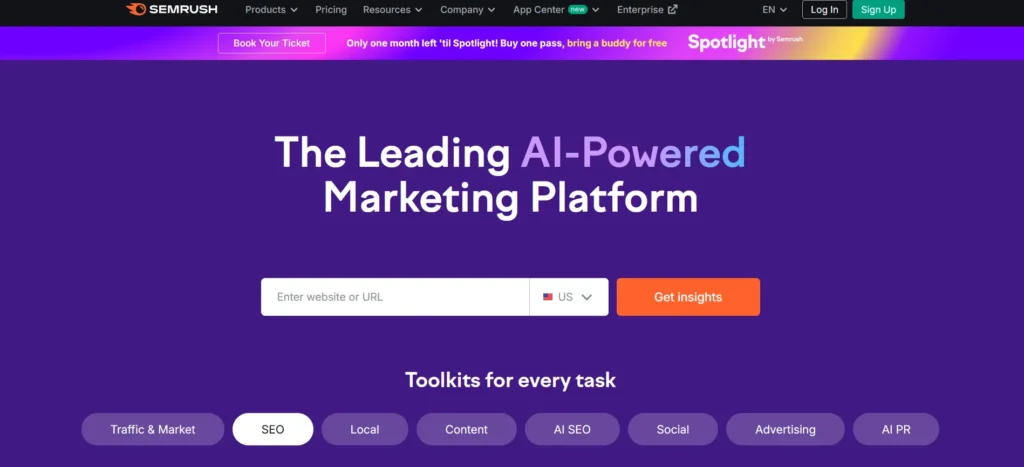
Semrush’s platform includes tools for keyword research, backlink analysis, competitor tracking, site audits, and content optimization. Its focus on providing data-backed insights and practical recommendations makes it a valuable resource for both beginners and experienced SEO professionals.
One of the reasons Semrush stands out in the SEO market is its flexible pricing. Plans start at $129.95 per month for the Pro plan, with higher-tier plans offering advanced features and additional user seats. All plans include access to core SEO tools, regular updates, and customer support to ensure users get the most out of the platform.
Additionally, Semrush offers a 7-day free trial, allowing users to explore its features before committing to a subscription.
Interested in improving your website’s SEO? Explore Semrush’s WordPress SEO tools today!
Key Semrush Features of the SEO Plugin
The Semrush SEO plugin for WordPress is designed to help website owners optimize their content, improve search engine rankings, and gain actionable insights from a single dashboard. It integrates advanced SEO tools directly into WordPress, providing both beginners and experienced marketers with powerful functionality. Here’s an overview of the top Semrush Features it provides:
SEO Audit and Site Health
The plugin performs a comprehensive audit of the website, identifying issues that could affect search engine performance. It checks for:
- Broken links and 404 errors
- Missing or duplicate meta titles and descriptions
- Page load speed issues
- Internal linking gaps
- On-page SEO errors and warnings
Keyword Research and Optimization
Semrush helps users optimize content for targeted keywords and discover new opportunities. The plugin analyzes:
- Keyword usage and density
- Semantic keyword suggestions
- Long-tail keyword opportunities
- Competitor keyword strategies
Content Optimization
The plugin evaluates content quality and SEO performance, offering recommendations to improve visibility. Key checks include:
- Heading and subheading structure
- Meta tag optimization (title and description)
- Internal and external linking
- Readability metrics for better user experience
Rank Tracking
Users can monitor their website’s search engine rankings for specific keywords over time. Features include:
- Daily or weekly rank tracking
- Comparison against competitors
- Visualization of ranking trends
Backlink Analysis
Semrush provides insights into the website’s backlink profile, helping maintain a healthy link ecosystem. It tracks:
- New and lost backlinks
- Referring domains and authority scores
- Toxic links that may harm SEO
Content Marketing Tools
The plugin integrates with Semrush’s content marketing platform, enabling users to:
- Identify trending topics
- Analyze top-performing competitor content
- Optimize content for better engagement and traffic
On-Page SEO Recommendations
The plugin generates actionable on-page SEO recommendations, helping users fix issues directly within WordPress. This includes guidance for:
- Meta tags and headings
- Image alt attributes
- URL structure and slugs
- Internal linking improvements
Integration with Other Platforms
Semrush WordPress plugin works seamlessly with performance and caching plugins, ensuring minimal impact on site speed. It also integrates with Google Analytics and Search Console to provide comprehensive data insights.
Advanced Reporting
Users can generate detailed SEO reports for their website, including audit results, keyword rankings, and backlink analysis, making it easier to track progress and share insights with clients or team members.
The Semrush WordPress plugin is a comprehensive tool for managing SEO directly from the dashboard, combining auditing, optimization, keyword research, and performance tracking into one streamlined solution.
Performance and Speed
Search engine optimization relies heavily on website speed, technical efficiency, and accessibility. When using the Semrush SEO plugin, a key question arises: does it affect site performance, or does it remain lightweight and efficient? In 2026, the answer is generally positive — Semrush is well-optimized for performance and designed to minimize unnecessary load on WordPress websites.
Lightweight at Its Core
The Semrush SEO plugin is built with a modular structure that ensures only necessary scripts and processes are loaded. It primarily operates within the WordPress admin area, analyzing site data, metadata, and content in the background without adding front-end bloat. On the front end, the plugin injects essential metadata such as title tags, descriptions, and schema markup directly into the HTML head section.
For most WordPress websites, this results in minimal to no measurable impact on page load speed. Users who focus on the core features — such as site audits, keyword recommendations, and on-page SEO checks — typically experience smooth performance, even on shared hosting environments.
Back-End Processing: Where the Load Can Increase
While the front end remains lightweight, the back end can become more resource-intensive during deep audits and keyword analysis. Large websites with extensive content libraries or e-commerce catalogs may notice higher CPU and memory usage during full-site scans or when multiple users perform audits simultaneously.
This performance demand primarily stems from Semrush’s in-depth crawling and real-time data synchronization with its external database. However, Semrush has introduced several optimizations in 2026, including smarter caching, more efficient API calls, and improved query handling, reducing strain on hosting environments.
Still, users running resource-limited servers or managing very large websites should schedule audits during low-traffic periods or adjust the scanning frequency to maintain smooth performance.
Page Speed Tools and Plugin Compatibility
The Semrush plugin is designed to work harmoniously with most major caching and performance optimization tools, including:
- WP Rocket
- LiteSpeed Cache
- W3 Total Cache
- Cloudflare CDN
It does not add heavy front-end JavaScript or CSS that might interfere with caching or minification. The plugin’s output — such as metadata and structured data — integrates cleanly into existing HTML, ensuring compatibility with speed optimization plugins and CDN systems.
Additionally, Semrush’s crawling system uses asynchronous processing for data collection, which helps reduce server strain during audits. Its reports and insights are generated dynamically without repeatedly querying large databases within WordPress, further maintaining speed stability.
Final Verdict on Performance
Overall, the Semrush SEO plugin is well-balanced in terms of functionality and performance. It delivers powerful SEO analysis and optimization tools while maintaining efficient use of system resources. For most users, it provides significant SEO benefits without compromising website speed — making it a reliable choice for optimizing both small and large WordPress sites in 2026.
Semrush Pricing Plans
The Semrush SEO plugin operates as part of the broader Semrush ecosystem, offering flexible pricing plans designed to accommodate individuals, small businesses, marketing agencies, and enterprise-level organizations. While the core WordPress integration can be installed for free, full access to Semrush’s advanced SEO tools and data-driven features requires a paid subscription to the Semrush platform.
Free Version
The free version of the Semrush plugin for WordPress can be downloaded directly from the WordPress plugin repository. It allows basic integration between WordPress and the Semrush platform, enabling limited content analysis and keyword recommendations. Users can run a limited number of SEO checks per day, view basic site audit data, and test some features of the SEO Writing Assistant.
This version is best suited for bloggers or small websites that want to test Semrush’s core capabilities before committing to a paid plan.
Paid Semrush Plans
To unlock the full functionality of the Semrush SEO plugin — including detailed audits, keyword tracking, backlink analysis, and in-depth competitor research — users must subscribe to one of Semrush’s main pricing tiers.
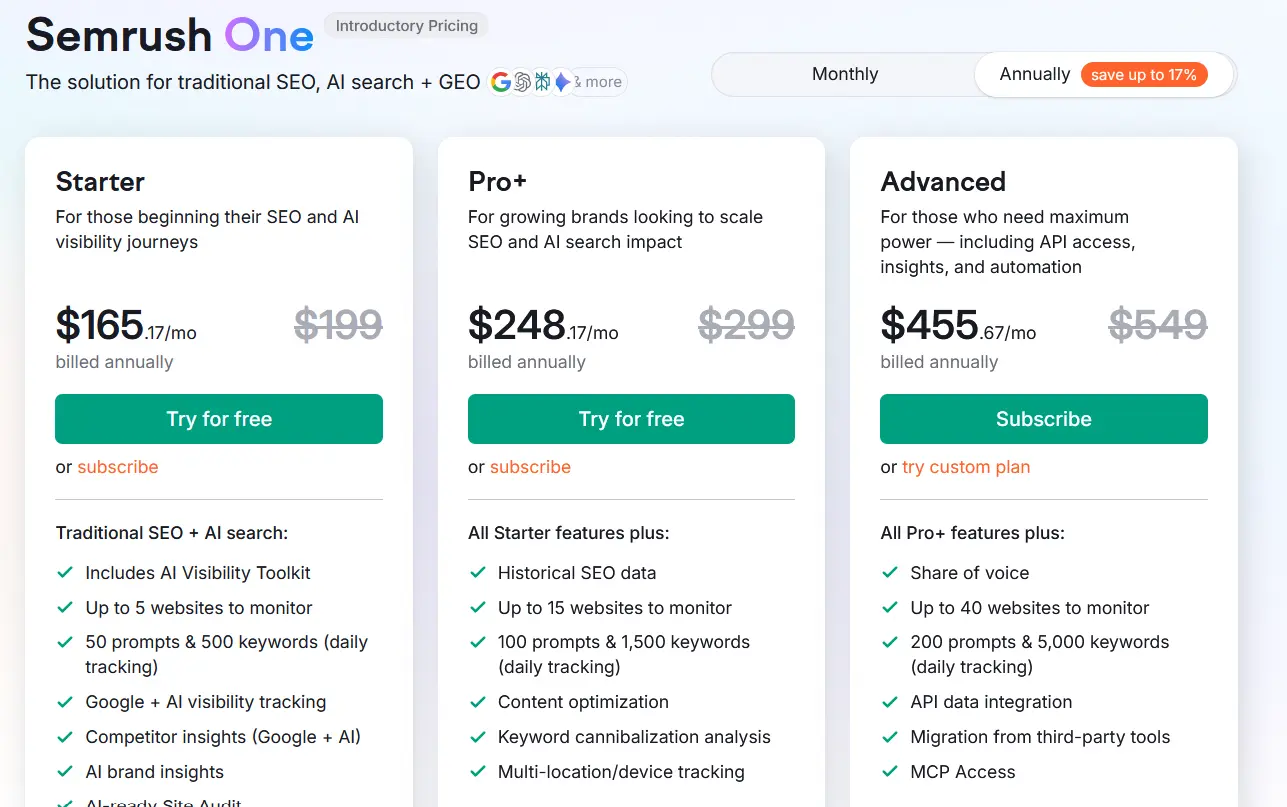
As of 2026, the Semrush plans are structured as follows:
- Starter: $165.17/month (billed annually, normally $199/month), this plan is for those beginning their SEO and AI visibility journey. It includes traditional SEO+AI search tools with up to 5 websites to monitor, 50 AI prompts and 500 keywords tracked daily, Google + AI visibility tracking, competitor insights (Google + AI), AI brand insights, AI‑ready Site Audit, and keyword research.
- Pro+: $248.17/month (billed annually, normally $299/month), this plan is for growing brands looking to scale SEO and AI search impact. It includes all Starter features plus historical SEO data, up to 15 websites to monitor, 100 AI prompts and 1,500 keywords tracked daily, content optimization, keyword cannibalization analysis, and multi‑location/device tracking.
- Advanced: $455.67/month (billed annually, normally $549/month), this plan is for those who need maximum power, including deeper insights and automation. It includes all Pro+ features plus share of voice tracking, up to 40 websites to monitor, 200 AI prompts and 5,000 keywords tracked daily, and API data integration.
All plans include regular updates, cloud data storage, and access to Semrush’s global keyword and backlink databases.
Enterprise Custom Plans
For larger organizations or agencies with specific SEO requirements, Semrush offers custom enterprise solutions with personalized limits, dedicated account management, and priority support. Pricing is determined on a case-by-case basis depending on usage volume and project scope.
Trial and Discounts
Semrush offers a 7-day free trial for new users to test premium features, including keyword tracking and SEO audits. Annual billing options provide a discounted rate compared to monthly payments, offering better value for long-term users.
Customer Support and Service Quality
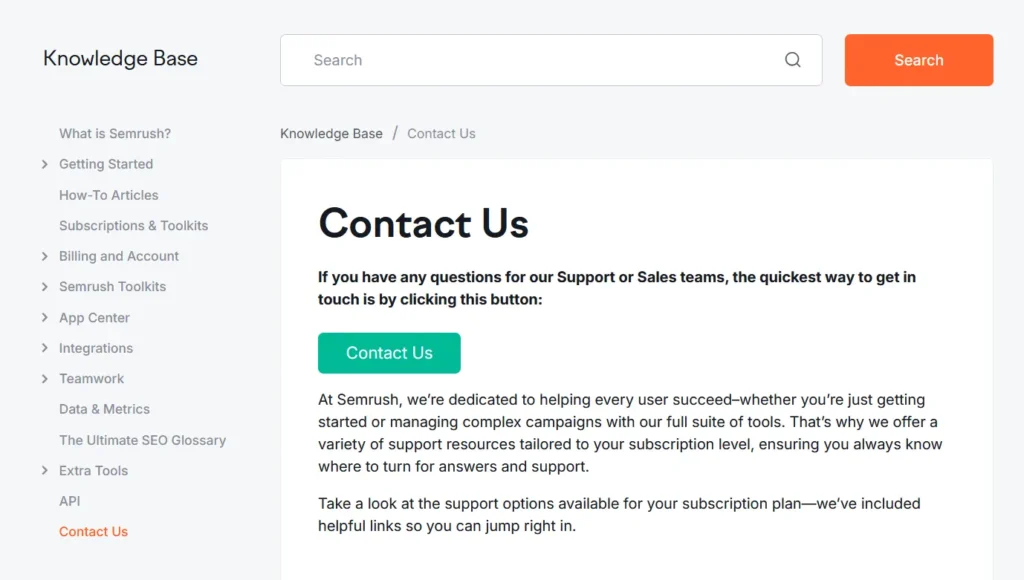
Semrush provides extensive customer support and service for its SEO plugin and platform, ensuring users at all experience levels can access the assistance and resources they need to optimize their websites effectively. From direct contact with support representatives to a wealth of educational materials, Semrush maintains a strong focus on customer satisfaction and professional guidance.
Email and Chat Support
Semrush offers dedicated customer support through both email and live chat. Subscribers to paid plans, including Pro, Guru, and Business, have access to priority support channels where trained specialists assist with account issues, plugin setup, performance concerns, and technical troubleshooting. Response times typically range from a few hours to one business day, depending on the user’s subscription level.
Free users can also submit inquiries through the contact form on the Semrush website, although response times may be longer compared to paid users.
Priority Assistance for Technical and Integration Issues
Paid users receive priority assistance for plugin compatibility, platform integrations, and technical issues. The support team provides step-by-step troubleshooting guides and can help resolve conflicts between the Semrush plugin and other WordPress tools, ensuring minimal disruption to SEO performance and analytics. Business and Enterprise plan holders benefit from direct communication with a dedicated account manager for faster resolutions and personalized advice.
Comprehensive Knowledge Base and Help Center
Semrush maintains an extensive online Help Center, featuring hundreds of articles, FAQs, and video tutorials. Topics include plugin installation, site audit configuration, keyword research, backlink tracking, and troubleshooting common errors. The knowledge base is continuously updated to reflect new features and product improvements, making it a reliable self-service option for users at any skill level.
Webinars, Courses, and Educational Resources
To complement its customer support services, Semrush offers a wide range of educational materials, including webinars, SEO courses, and expert-led tutorials. The Semrush Academy provides free certification programs covering SEO, content marketing, and digital advertising, helping users gain a deeper understanding of how to use the platform effectively.
Semrush SEO Plugin: Pros and Cons
Pros of the Semrush SEO Plugin
- Comprehensive SEO and marketing tools: The Semrush SEO plugin offers tools for keyword research, site audits, backlink tracking, and content optimization—all integrated within WordPress for convenience.
- Accurate Data: Backed by one of the largest keyword and backlink databases, Semrush provides reliable, up-to-date insights for improving search rankings.
- Content Optimization: The SEO Writing Assistant delivers real-time suggestions on readability, keyword usage, and tone, helping enhance overall content quality.
- Competitive Insights and Content Suggestions: The plugin helps users analyze competitors’ strategies and offers data-driven content recommendations to improve visibility and engagement.
- Regular updates with new SEO features Semrush frequently updates its plugin to maintain compatibility with WordPress and align with current SEO best practices.
Cons of Semrush SEO
- Can Be Expensive for Small Websites Access to full features starts at $129.95 per month, which may be costly for smaller websites or personal projects.
- Limited Free Features: Most advanced functions, such as in-depth audits and keyword tracking, require a paid Semrush subscription.
- Complex for Beginners: Due to its extensive data and tools, the plugin can be challenging for users new to SEO.
- Resource Usage: Comprehensive site audits may increase server load, particularly on large or shared-hosting websites.
The Semrush SEO plugin offers a powerful and data-rich solution for optimizing WordPress websites, combining technical analysis, keyword research, and content optimization tools. While it delivers exceptional value for professional marketers and established businesses, its cost and complexity may present challenges for beginners or small-scale site owners seeking simpler SEO solutions.
Semrush SEO Plugin Competitors and Alternatives
In the rapidly evolving world of SEO, Semrush is often regarded as one of the most comprehensive tools available, offering everything from keyword research and backlink analysis to site audits and AI-powered content insights. However, it isn’t the only player in the market, and depending on your specific needs—whether it’s deep backlink analysis, cost-effective solutions, or AI-driven content optimization—there are several strong alternatives. From established platforms like Ahrefs and Moz to emerging AI-focused tools like SurferSEO and enterprise solutions like BrightEdge, understanding the strengths and weaknesses of each competitor can help marketers, agencies, and businesses choose the tool that best aligns with their SEO strategy and budget.
SE Ranking

SE Ranking offers a comprehensive SEO toolkit at a competitive price point, making it an attractive alternative for small businesses and freelancers.
Strengths:
Affordable pricing with a wide range of features;
User-friendly interface suitable for beginners;
Accurate keyword tracking and reporting;
Considerations:
Smaller backlink database compared to top-tier tools;
Limited advanced features for enterprise-level SEO;
seoClarity

seoClarity is an enterprise SEO platform that has introduced features to monitor brand representation in generative AI answers, offering a unique perspective on SEO performance.
Strengths:
Enterprise-level SEO tools;
Features to monitor brand representation in AI answers;
Comprehensive reporting and analytics;
Considerations:
Higher pricing tiers may be a barrier for small businesses;
Complex interface may require a learning curve;
SurferSEO

SurferSEO specializes in on-page optimization and content strategy, leveraging AI to enhance content relevance and SERP rankings.
Strengths:
AI-driven content optimization;
Detailed SERP analysis and audit tools;
User-friendly interface;
Considerations:
Limited backlink analysis compared to Semrush and Ahrefs;
Focused primarily on on-page SEO;
|
Feature
|
Semrush
|
SE Ranking
|
SurferSEO
|
seoClarity
|
|---|---|---|---|---|
|
Keyword Research
|
|
|
|
|
|
Backlink Analysis
|
|
|
|
|
|
Site Audits
|
|
|
|
|
|
Competitor Analysis
|
|
|
|
|
|
PPC Analysis
|
|
|
|
|
|
Content Optimization
|
|
|
|
|
|
AI Integration
|
|
|
|
|
|
Pricing
|
$$
|
$
|
$$
|
$$$
|
Semrush SEO Plugin Conclusion
In conclusion, the Semrush SEO plugin stands out as a comprehensive and data-driven optimization tool for WordPress users aiming to improve their website’s search performance. By integrating directly with Semrush’s powerful analytics platform, the plugin provides in-depth keyword insights, competitive analysis, and actionable on-page recommendations—all within the WordPress dashboard.
Its ability to combine real-time content optimization with advanced features such as backlink auditing, keyword tracking, and content scoring makes it a valuable tool for both marketers and SEO professionals. While access to its most robust features requires a paid Semrush subscription, the quality of data and integration depth justify the cost for users seeking measurable SEO growth.
Overall, the Semrush SEO plugin offers a professional-grade solution that bridges the gap between technical SEO and content marketing, making it one of the most effective tools available for WordPress optimization in 2026.
Semrush Coupon
Interested in trying Semrush for your WordPress site? New users can take advantage of a 7-day free trial on any Semrush plan to explore its full range of SEO tools before committing.
WP Steer users can enjoy up to 17% off Semrush’s annual plans when you sign up through our exclusive Semrush discount link — this verified offer applies to popular plans like Pro, Guru, and Business when billed yearly.
Frequently Asked Questions
Here are answers to some of the most commonly asked questions about the Semrush SEO plugin:
1. Is the Semrush SEO plugin worth it?
Yes. The Semrush SEO plugin provides comprehensive tools for keyword research, site audits, backlink analysis, and content optimization directly within WordPress. It is particularly valuable for marketers, agencies, and businesses seeking data-driven insights to improve search engine rankings.
2. Who owns Semrush?
Semrush was founded in 2008 by Oleg Shchegolev and Dmitry Melnikov. It is an independent company headquartered in Boston, Massachusetts, and widely recognized as a leading provider of SEO and digital marketing tools.
3. What does the Semrush SEO plugin do?
The plugin integrates WordPress with the Semrush platform, allowing users to:
- Conduct site audits and monitor site health
- Track keyword rankings and performance
- Analyze backlinks and referring domains
- Receive content optimization suggestions through the SEO Writing Assistant
- Gain insights into competitors’ strategies
4. Is there a free version of the Semrush SEO plugin?
Yes. The plugin itself can be installed for free from the WordPress repository. However, most advanced features, including detailed audits, backlink analytics, and full keyword tracking, require a paid Semrush subscription.
5. How much does Semrush cost?
As of 2026, Semrush offers three main subscription plans:
- Starter Plan: $165.17 per month, suitable for freelancers and startups
- Pro Plan: $248.17 per month, designed for growing marketing teams
- Advanced Plan: $455.67 per month, aimed at large agencies and enterprises
Annual billing provides a discounted rate compared to monthly payments.
6. Can I use Semrush on multiple websites?
Yes. Semrush subscriptions allow management of multiple projects or domains, with limits depending on the plan. Higher-tier plans support more websites and offer extended reporting and data access.
7. Does the plugin slow down WordPress sites?
Generally, no. The plugin is lightweight on the front end, as most of its processing occurs in the WordPress admin dashboard or via the Semrush cloud platform. Large-scale audits or analyses may temporarily use more server resources.
8. Is Semrush SEO plugin suitable for beginners?
The plugin is accessible to beginners, particularly for basic audits and content optimization. However, full use of its advanced analytics and competitor insights may require some SEO knowledge.
9. Can Semrush handle technical SEO?
Yes. The plugin can identify technical issues, such as broken links, missing meta tags, and site health problems, helping users maintain proper on-page and technical SEO standards.
10. Does Semrush offer customer support?
Yes. Paid Semrush users have access to email and live chat support, priority assistance for technical issues, and a dedicated account manager for higher-tier plans. Free users can access the extensive knowledge base, tutorials, and webinars.
11. Is there a free trial for Semrush?
Yes. Semrush offers a 7-day free trial, allowing users to explore its full suite of SEO tools before purchasing a subscription.
12. Does the Semrush SEO plugin work with other WordPress plugins?
Yes. It is compatible with most major WordPress plugins, including caching, page builders, and performance optimization tools. However, users should always check for potential conflicts with site-specific setups.