Powerdrill AI Review (2026): A User-Friendly Platform for AI for Data & Analytics
In this Powerdrill AI review, we explore why this platform is gaining traction among business analysts, researchers, and small-to-mid-sized teams looking for accessible AI for Data & Analytics solutions. Powerdrill AI offers a no-code, conversational interface to upload data, ask questions, and generate visual insights without needing deep technical skills.
Powerdrill supports common data formats such as Excel, CSV, TSV, and connects with SQL databases, enabling users to explore large datasets via natural language queries. Its design emphasizes rapid insight generation—turning raw data into charts, dashboards, and reports quickly.
Pros:
- Automated 3D Model Generation
- User-Friendly Interface
- Wide Format Compatibility
- Cloud-Based Processing
- Fast and Scalable Workflow
Cons:
- Limited Free Access
- Dependent on Input Quality
- Requires Internet Connection
Powerdrill AI stands out in 2025 as a practical, user-friendly solution in the AI for Data & Analytics space. It’s ideal for teams and individuals who want to explore their data quickly and intelligently, without heavy technical investment.
4.5
Average from 47 verified reviews
Pricing
Pro – $13.27 per month
Premium – $132.67 per month
Team Pro – $13.27 per month
About Powerdrill AI
Powerdrill AI is a modern platform in the realm of AI for Data & Analytics, aimed at helping users turn raw datasets into actionable insights with minimal technical effort. The tool stands out by combining natural-language interaction, no-code interfaces, and advanced visualization to cater to business professionals, analysts, and data teams alike.
At its core, Powerdrill AI enables users to upload data files such as Excel spreadsheets, CSVs, or connect SQL databases, then ask questions in plain English. The system leverages AI to analyze the data, detect patterns, generate visualizations (bar, line, heatmap, boxplot) and even produce dashboards and reports—all without needing to write any code.
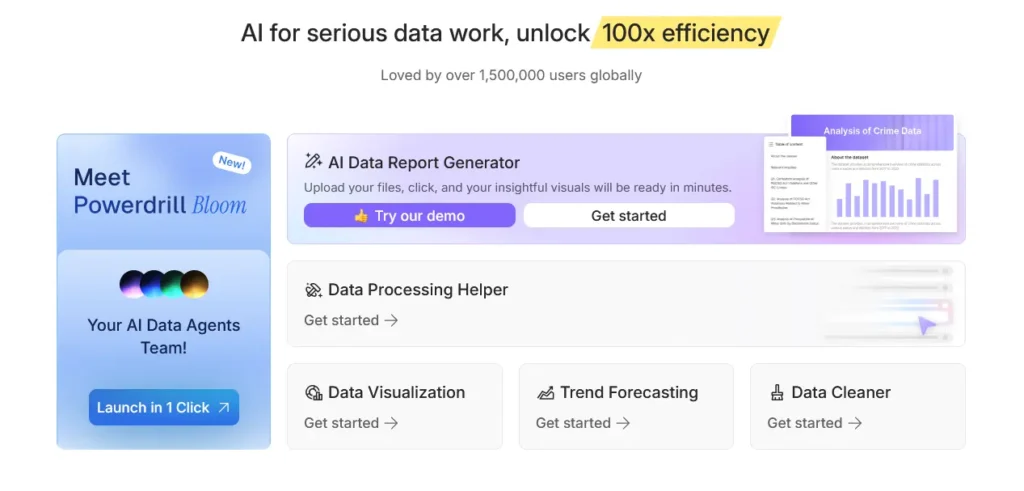
One of its key features is “AI Graph Maker” which allows users to create professional charts and graphs in seconds. Additionally, Powerdrill supports predictive analytics and time-series forecasting, making it not just a tool for visualization but also for forward-looking insights. The platform also emphasizes explainability, enabling users to understand how insights were derived.
The company offers flexible pricing, including a free tier to get started, with paid plans scaling based on dataset size, features like multimedia analysis, and number of jobs.
Key Features of Powerdrill AI
Data Analysis Automation
Powerdrill AI is a next-generation AI for Data & Analytics platform built to automate complex data processing and business intelligence tasks. It helps organizations quickly extract insights from large datasets using machine learning and natural language processing. Users can upload raw data, and Powerdrill AI automatically cleans, structures, and visualizes it—eliminating the need for manual data preparation.
Predictive Analytics and Forecasting
One of Powerdrill AI’s strongest features is its predictive modeling engine. The platform analyzes historical data to forecast trends, customer behaviors, and market outcomes. Businesses can use these insights to make more informed strategic decisions, improve operational efficiency, and identify growth opportunities. Predictive dashboards update dynamically, ensuring real-time accuracy.
Natural Language Querying
Powerdrill AI offers an intuitive natural language interface that allows users to ask data-related questions conversationally. For example, a user can type, “Show revenue growth by quarter,” and Powerdrill AI will instantly generate a visual report. This feature democratizes data analytics, enabling non-technical users to perform in-depth analysis without coding knowledge.
Customizable Dashboards and Reporting
The platform provides fully customizable dashboards that let users tailor analytics to specific KPIs, metrics, and business goals. Reports can be exported in various formats, shared across teams, or embedded in internal platforms. Automated reporting schedules also ensure stakeholders receive timely insights without manual intervention.
Data Integration Capabilities
Powerdrill AI integrates seamlessly with a wide range of data sources, including Excel, Google Sheets, SQL databases, CRMs, and cloud services like AWS and BigQuery. This allows teams to consolidate multiple data streams into one central analytics hub for unified and consistent reporting.
AI-Driven Recommendations
Beyond descriptive analytics, Powerdrill AI provides prescriptive insights—suggesting optimal next steps based on data trends. Whether it’s predicting churn, identifying profitable customer segments, or optimizing pricing strategies, the AI engine continuously learns from patterns to offer actionable business guidance.
Collaboration and Team Access
Powerdrill AI is designed for collaboration. Teams can comment on data visualizations, tag members in reports, and co-edit dashboards in real time. Permission-based access ensures that data security and governance remain intact while enabling cross-departmental insights sharing.
Scalability and Performance
Built for performance, Powerdrill AI handles large datasets efficiently, making it ideal for enterprises and growing businesses alike. Its scalable cloud infrastructure ensures fast query execution and data refresh rates, even when managing millions of records or concurrent users.
Security and Compliance
Powerdrill AI prioritizes data protection through encryption, access control, and compliance with international standards such as GDPR and SOC 2. All user data is securely stored and transmitted, ensuring confidentiality and trust for organizations handling sensitive information.
Flexible Pricing and Accessibility
The platform offers tiered pricing models, from individual analyst plans to enterprise-level solutions with advanced AI capabilities. A free trial option allows users to test Powerdrill AI’s features before committing, making it accessible to startups and large organizations alike.
Powerdrill AI stands out in the AI for Data & Analytics space by combining automation, predictive modeling, and user-friendly interfaces—empowering businesses to turn data into powerful, real-time decisions with minimal technical effort.
Powerdrill AI — Performance and Accuracy
Speed of Generation / Responsiveness
- Fast, no-code “chat + upload” workflow
Powerdrill AI lets users upload data files (e.g. Excel, CSV, TSV, PDF, etc.) and then immediately interact with them using natural-language prompts or via a chat interface. - Near-instant insights, visualizations, and reports
According to the tool’s marketing, once you upload data, Powerdrill can analyze, visualize, and surface insights in “seconds” or “quickly.” - One-click report and presentation generation
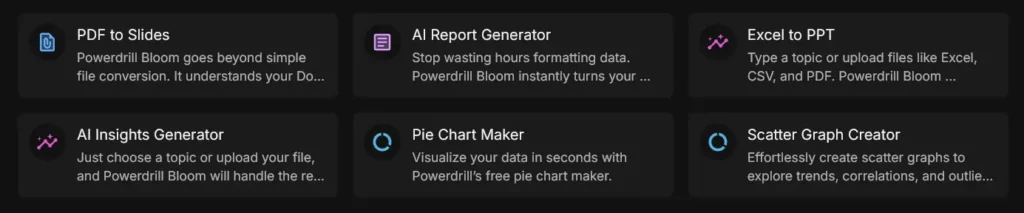
Its “AI Report Generator” feature transforms raw data into full reports (tables, charts, narratives) and even slides for presentations, often with just a button click — making the end-to-end workflow (data → insight → presentation) much faster than manual work.
Data Handling and Correctness
Support for multiple data formats and multi-tab datasets
Powerdrill handles a wide array of file types: Excel, CSV/TSV, sometimes PDF, Word docs, etc. It also supports multi-tab spreadsheets — enabling analysis across multiple sheets.
Automated data cleaning and preprocessing
The platform advertises “AI Data Cleaning,” meaning that it can deduplicate data, standardize formats, clean messy or inconsistent datasets — a common pain point before analysis.
Indexing + RAG-style data comprehension for reliability
According to its documentation, Powerdrill builds a structured “index” over your dataset, and uses a hybrid Retrieval-Augmented Generation (RAG) framework to ensure that analysis and answers are grounded in the actual data you uploaded.
Data visualization and transformation accuracy
The system can auto-generate charts, graphs, and tables appropriate to data structure: line graphs, bar/pie charts, scatter plots, distributions — which suggests that it reliably interprets data types (numeric vs categorical) and relationships in data.
Reasoning, Analytical & Modeling Capabilities
Natural-language querying over datasets
Powerdrill lets you ask questions about your data in everyday language — e.g. “What were the top 5 products by revenue last quarter?”, “Show me monthly trend of sales.” The AI interprets intent, queries data, and returns answers + visualizations.
Automated report generation — narrative + visuals
Beyond raw numbers or charts, Powerdrill can generate narrative summaries of data, highlight key insights, and compile them into structured reports (or presentations) — which is helpful for decision-making, stakeholder communication, or executive summaries.
Integration with SQL and advanced analytics
For more sophisticated workflows, Powerdrill supports direct connection to SQL databases (e.g. MySQL, PostgreSQL), enabling analysis on larger data stores beyond simple spreadsheets.
Flexibility for diverse data types and multimodal inputs
The tool claims support for a variety of data types — not only spreadsheets, but also PDFs, documents, possibly images or other media — giving flexibility to perform analysis or extract insights from non-traditional data sources.
Powerdrill AI Pricing Plans
Powerdrill AI offers a range of flexible pricing plans designed to support individuals, teams, and organizations looking to leverage AI-driven data analysis and visualization.

Free Plan
Provides basic access to Powerdrill’s core features, including uploading datasets, natural‐language queries, and simple visualizations. Ideal for users who want to test and explore the platform’s capabilities.
- Pro Plan – $13.27 per month
Provides 5,000 credits per month, supports uploading and analyzing Excel, CSV, or PDF files, and allows exploration of insights on any topic. Features include analysis powered by multiple agents (Analyst, Engineer, Detective, Verifier), document export (slides, infographics, online docs), social sharing, SaaS connections, and Nano Banana Pro Infographics Slides (1K / 2K / 4K). - Premium Plan – $132.67 per month
Adds to the Pro Plan with 60,000 credits per month and collaborative validation features. Users can review, cite, and track insight metrics for accuracy. - Team Pro Plan – $13.27 per seat / month
Includes all Pro Plan features and adds the ability to create a team, invite members, and share Team Credits. Each member uses one seat.
Enterprise Plan – Custom pricing
Tailored for large organizations requiring custom quotas, API access, dedicated support, and customized features. Pricing is negotiated based on business needs and scale.
Powerdrill AI’s tiered structure ensures that users—from individuals just starting with data analysis to enterprise teams with complex analytics demands—can select a plan that aligns with their usage requirements and budget.
Customer Support and Service Quality — Powerdrill AI
Support Channels & Accessibility
Powerdrill AI provides direct customer support via email.
For enterprise users, Powerdrill offers a custom contact page to discuss team plans or dedicated features.
Users are encouraged to submit feedback, bug reports, or feature requests through this email channel. According to their Terms of Service, they review such feedback to improve service quality.
Self-Service Resources
The Privacy Notice describes how users can contact support concerning data privacy issues, reinforcing transparency.
Powerdrill’s security and compliance documentation (Trust & Security page) outlines how user data is protected.
Their Terms of Service clearly outline the process for cancellation and error reporting, making the expectations around support tangible.
Service Reliability & Trust
- Powerdrill declares that service interruptions or downtime are possible (“We do not guarantee permanent accessibility of the Service”).
- Security-wise, Powerdrill holds ISO 27001 certification and claims GDPR compliance, which supports trust in their data-handling practices.
- They are in the process of obtaining SOC 2 Type II compliance, further reinforcing data security commitment.
Refund and Subscription Policy
Powerdrill states that monthly subscriptions are not eligible for refunds. However, they do invite users who encounter issues to reach out to support via their service email.
For custom or enterprise needs, users are directed to contact service@powerdrill.ai
Enterprise Support
The enterprise offering includes SaaS team edition with instant sign-up for teams and API access, suggesting that business-level clients may receive more structured or prioritized support.
While there is no explicit public SLA document, the existence of a dedicated enterprise contact mechanism implies that business users can negotiate terms and receive more committed support.
Data Handling & Privacy
- The Privacy Notice clarifies that support is one of the purposes for which personal data is used (“to provide customer support”).
- Powerdrill commits to not using customer data to train their AI models, according to their security documentation.
- Data is stored securely (e.g., on Amazon S3), per their Trust & Security statements, which is critical given the nature of data-analysis workloads.
Assessment: Strengths and Potential Limitations
Strengths:
Powerdrill offers clear and accessible support via email, making it relatively straightforward for users to get help.
Their documentation and legal policies (Terms of Service, Privacy Notice) provide transparency about support, data handling, and service limitations.
Strong focus on security and compliance (ISO 27001, GDPR) enhances trust for users working with sensitive data.
There is a path for enterprise-level support, including custom plans and API access, which is critical for business adoption.
Potential Limitations:
Lack of real-time support (chat or phone) publicly available may slow down resolution for urgent issues.
No publicly published service-level agreement (SLA) means limited guarantees on uptime or support response times.
Refund policy is restrictive for monthly subscribers, which could be a challenge if users face serious service issues early on.
Because support relies mainly on email, response times may not suit users needing very rapid issue resolution.
Powerdrill AI’s customer support and service quality appear well-structured and professional, especially for data-driven teams and enterprise users. Their commitment to security and transparency is strong, and they offer a reliable feedback channel. However, users should be aware of the limitations around real-time support and refund policy, and those needing immediate or mission-critical assistance may need to negotiate support terms as part of an enterprise or custom plan.
Powerdrill AI: Pros and Cons
Pros of Powerdrill AI
- Automated 3D Model Generation: Powerdrill AI excels in converting simple 2D images or text prompts into detailed 3D models using advanced generative AI. This dramatically reduces the time and skill required for 3D content creation.
- User-Friendly Interface: The platform’s intuitive workflow allows both beginners and professionals to create, edit, and export 3D assets easily, eliminating the need for complex 3D design software.
- Wide Format Compatibility: Powerdrill AI supports multiple 3D export formats, making it easy to integrate models into popular design, animation, or gaming engines such as Blender, Unreal Engine, or Unity.
- Cloud-Based Processing: All rendering and model generation occur in the cloud, enabling users to work efficiently without relying on high-end local hardware.
- Fast and Scalable Workflow: By leveraging AI and cloud computing, Powerdrill AI can handle multiple generations simultaneously, making it suitable for teams and studios with large-scale production needs.
Cons of Powerdrill AI
- Limited Free Access: The free tier offers restricted credits for 3D generations, requiring a paid subscription to access higher-quality outputs or bulk model generation.
- Dependent on Input Quality: Generated models may vary in accuracy or detail depending on the clarity and quality of the input image or prompt, requiring occasional manual adjustments.
- Requires Internet Connection: Since Powerdrill AI operates entirely online, users need a stable internet connection to generate and download models effectively.
Powerdrill AI provides a powerful, accessible, and efficient solution for transforming text and images into realistic 3D assets. Its automation and cloud-based workflow make it ideal for designers, game developers, and 3D artists seeking speed and scalability. However, users with advanced modeling needs or those relying on offline workflows may find its customization and free access somewhat limited.
Powerdrill AI Competitors and Alternatives
In the rapidly growing field of AI for Data Analytics, Powerdrill AI offers powerful capabilities for automating data processing, generating insights, and simplifying complex analysis workflows. However, it is not the only tool in this space. Depending on your needs—whether it’s no-code predictive modeling, advanced data visualization, or automated analytics—several strong alternatives may also be suitable. From user-friendly AutoML platforms like Akkio and Obviously AI to comprehensive BI solutions like Zoho Analytics, each competitor provides its own strengths and considerations for different types of teams and use cases.
Akkio
Akkio is a no-code AI platform designed for fast predictive modeling and automated data analysis, making it accessible for non-technical users and small teams.
Strengths:
Very user-friendly, ideal for beginners;
Fast automated modeling and data preparation;
Integrates well with business tools and BI platforms;
Considerations:
Limited customization for advanced data science workflows;
Less suited for large or highly complex datasets;
Obviously AI

Obviously AI focuses on no-code predictive analytics, allowing teams to quickly build, test, and interpret machine-learning models without technical expertise.
Strengths:
Extremely fast model creation and experimentation;
Clear visual explanations for predictions;
Automated data cleaning and processing;
Considerations:
Not ideal for advanced or deeply customized ML requirements;
Limited enterprise-grade lifecycle and governance features;
Zoho Analytics

Zoho Analytics is a business intelligence and analytics platform offering data visualization, automated reporting, and AI-powered insights across many data sources.
Strengths:
Wide range of integrations and data connectors;
AI-driven insights through Zoho’s Zia assistant;
Cost-effective and scalable for SMBs;
Considerations:
Predictive modeling options are more limited than specialized AutoML tools;
Works best when combined with other Zoho applications;
Conclusion for Powerdrill AI review
In the evolving landscape of AI-driven analytics, Powerdrill AI delivers an appealing balance of accessibility, performance, and intelligent automation. As explored throughout this Powerdrill AI Review, the platform excels at helping users transform raw datasets into meaningful insights without requiring technical expertise. Its natural-language querying, rapid visualization capabilities, and strong data-handling features make it especially suited for analysts, small teams, and businesses that need quick answers from their data. With predictive modeling, customizable dashboards, and broad file compatibility, Powerdrill AI offers a robust toolset that empowers users to work smarter and faster.
Despite a few limitations—such as reliance on email-based support and a more restrictive refund policy—Powerdrill AI’s overall value proposition remains strong. Its emphasis on security, explainability, and ease of use positions it as a reliable choice for organizations seeking AI-enhanced analytics without the complexity of traditional BI platforms. Whether you’re exploring trends, forecasting outcomes, or building reports on the fly, Powerdrill AI provides an efficient and intuitive workflow that lowers barriers and accelerates insight generation.
Powerdrill AI Coupon
WP Steer users can enjoy up to 20% off Powerdrill AI when you subscribe to an annual plan through our exclusive affiliate link — giving you a discounted rate compared to regular monthly billing on Powerdrill AI’s paid plans.
Simply click on our discounted Powerdrill AI link, choose any yearly subscription (Basic, Plus, or Pro) at checkout, and the savings will be applied automatically — no separate coupon code required.
Powerdrill AI – Frequently Asked Questions
1. What is Powerdrill AI?
Powerdrill AI is an AI-powered platform designed to simplify and accelerate data analysis, document generation, and workflow automation. It helps users extract insights, draft content, and automate repetitive tasks with minimal manual effort.
2. How does Powerdrill AI work?
Powerdrill AI uses large language models and machine-learning algorithms to interpret inputs, process data, and generate relevant outputs. Users can upload documents, connect data sources, or enter prompts, and the system produces tailored results based on the provided context.
3. What are the typical use cases for Powerdrill AI?
Common use cases include business report generation, content drafting, data summarization, automated analysis, customer-support assistance, and internal knowledge retrieval. It can also support more technical tasks depending on your workflow and connected data.
4. Does Powerdrill AI require technical skills to use?
No. Powerdrill AI is designed to be accessible to users without coding or data-science experience. However, advanced users can take advantage of additional features such as API access, workflow automation, or integration with other tools.
5. Can Powerdrill AI integrate with other platforms or data sources?
Yes. Powerdrill AI typically offers integration options such as APIs, webhooks, and connections to common cloud storage or productivity platforms. The specific integrations available depend on your plan and setup.
6. Is my data secure when using Powerdrill AI?
Powerdrill AI follows standard industry security practices, such as encrypted data transmission and controlled access. However, data-handling policies may vary by plan or deployment method, so reviewing the platform’s official security and privacy documentation is recommended.
7. Does Powerdrill AI store the data I upload?
Powerdrill AI may temporarily store uploaded data to process your request. Long-term storage, retention policies, or data-deletion options depend on product configuration and your account settings. Users should review the platform’s retention policy for specifics.
8. Can Powerdrill AI be customized for my organization?
Yes. Many Powerdrill AI features—such as workflow templates, custom prompts, user roles, and integrations—can be tailored to fit an organization’s needs. Some enterprise plans may also provide custom model tuning or dedicated support.
9. How accurate are Powerdrill AI’s outputs?
Powerdrill AI produces high-quality results but may occasionally generate incomplete or imperfect outputs, especially for highly technical or ambiguous tasks. Users should review and verify critical information before finalizing or publishing it.
10. What limitations should I be aware of?
Powerdrill AI depends on the quality of input data and may struggle with outdated, contradictory, or incomplete information. It may not replace specialized analytics tools for highly complex or domain-specific calculations.
11. Does Powerdrill AI support team collaboration?
Yes, most versions support multi-user access, shared workspaces, and permission controls. Teams can collaborate on documents, workflows, and data within a unified environment.
12. Can Powerdrill AI automate recurring tasks?
Yes. Users can create automations or workflows that run on schedules or are triggered by specific events. This is helpful for tasks like generating weekly reports or monitoring data updates.
13. What pricing options are available?
Powerdrill AI typically offers tiered pricing, including free, professional, and enterprise plans. Each tier includes different feature sets, usage limits, and support levels. For detailed pricing, consult the official Powerdrill AI website or sales team.
14. Is training or onboarding available?
Most plans come with basic guidance and tutorials. Higher-tier or enterprise customers may receive personalized onboarding, training sessions, or priority support depending on their contract.
15. How do I get support if I encounter an issue?
Support options generally include help-center articles, email support, live chat, or dedicated account managers for enterprise plans. Availability varies by subscription level.